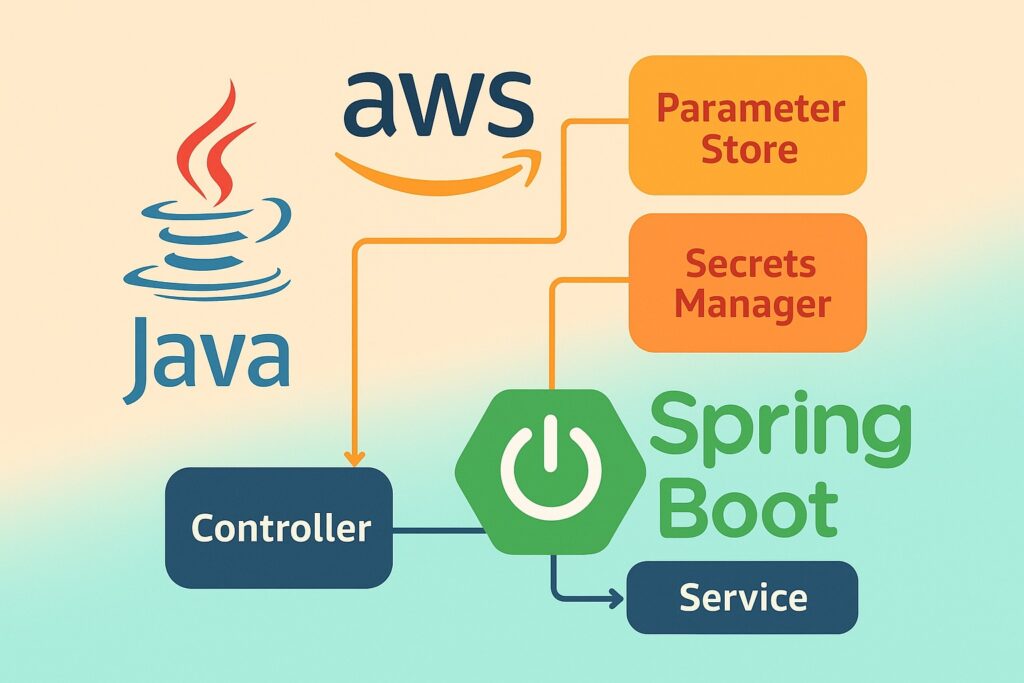
This is a spring cloud implementation from this article https://lotusteksolution.com/2025/09/09/how-to-use-aws-ssm-parameter-store-and-aws-secrets-manager-from-spring-boot-and-java/
This tutorial uses Spring Cloud AWS property mapping (so Parameter Store / Secrets Manager become part of Spring’s config), adds integration tests (both unit with Mockito and integration using Testcontainers + LocalStack), replaces the simple cache with a Caffeine-based caching implementation, and supplies a Docker Compose LocalStack setup for local testing.
I’ll show the key files and snippets you can drop into the project. I’ll assume Spring Boot 3.x and Spring Cloud AWS (awspring) recent releases — Spring Cloud AWS supports loading parameters via spring.config.import=aws-parameterstore: and Secrets Manager similarly.
1) Maven pom.xml (important deps)
<properties>
  <java.version>17</java.version>
  <spring.boot.version>3.2.0</spring.boot.version>
  <awspring.version>3.0.1</awspring.version> <!-- use the latest stable -->
</properties>

<dependencies>
  <!-- Spring Boot -->
  <dependency>
    <groupId>org.springframework.boot</groupId>
    <artifactId>spring-boot-starter-web</artifactId>
  </dependency>

  <!-- AWS SDK v2 (used by some components if needed) -->
  <dependency>
    <groupId>software.amazon.awssdk</groupId>
    <artifactId>ssm</artifactId>
  </dependency>
  <dependency>
    <groupId>software.amazon.awssdk</groupId>
    <artifactId>secretsmanager</artifactId>
  </dependency>

  <!-- Spring Cloud AWS (awspring) — Parameter Store + Secrets Manager support -->
  <dependency>
    <groupId>io.awspring.cloud</groupId>
    <artifactId>spring-cloud-starter-aws-parameter-store-config</artifactId>
    <version>${awspring.version}</version>
  </dependency>
  <dependency>
    <groupId>io.awspring.cloud</groupId>
    <artifactId>spring-cloud-starter-aws-secrets-manager-config</artifactId>
    <version>${awspring.version}</version>
  </dependency>

  <!-- Caffeine cache -->
  <dependency>
    <groupId>com.github.ben-manes.caffeine</groupId>
    <artifactId>caffeine</artifactId>
    <version>3.1.6</version>
  </dependency>

  <!-- Jackson -->
  <dependency>
    <groupId>com.fasterxml.jackson.core</groupId>
    <artifactId>jackson-databind</artifactId>
  </dependency>

  <!-- Testing: JUnit, Mockito, Testcontainers (LocalStack) -->
  <dependency>
    <groupId>org.springframework.boot</groupId>
    <artifactId>spring-boot-starter-test</artifactId>
    <scope>test</scope>
  </dependency>
  <dependency>
    <groupId>org.mockito</groupId>
    <artifactId>mockito-core</artifactId>
    <scope>test</scope>
  </dependency>
  <dependency>
    <groupId>org.testcontainers</groupId>
    <artifactId>localstack</artifactId>
    <version>1.19.0</version>
    <scope>test</scope>
  </dependency>
  <dependency>
    <groupId>org.testcontainers</groupId>
    <artifactId>junit-jupiter</artifactId>
    <version>1.19.0</version>
    <scope>test</scope>
  </dependency>
</dependencies>2) Use Spring Cloud AWS config import (application.yml)
This makes Parameter Store and Secrets Manager values available to Spring’s Environment — so you can map them to @ConfigurationProperties or use @Value. The spring.config.import syntax is the recommended approach (introduced in Spring Cloud AWS 3.x). HomeStack Overflow
src/main/resources/application.yml
spring:
  application:
    name: myapp
  config:
    import:
      - "aws-parameterstore:/myapp/"      # load parameters under /myapp/
      - "aws-secretsmanager:/"            # optionally load secrets (or a prefix)
aws:
  region: us-east-1
# (You can override AWS credentials with env vars in dev or let the SDK use instance role)Notes:
aws-parameterstore:/myapp/will pull parameters under that path and make them available as properties (see awspring docs). Use the prefix you created in AWS SSM. Stack Overflow- For secrets manager you may use
aws-secretsmanager:/prefix/oraws-secretsmanager:depending on which secrets you want to import.
3) Map parameters into @ConfigurationProperties (Spring Cloud style)
Create a config properties class that binds directly to values loaded from Parameter Store / Secrets Manager:
package com.example.config;

import org.springframework.boot.context.properties.ConfigurationProperties;
import org.springframework.stereotype.Component;

@Component
@ConfigurationProperties(prefix = "myapp")
public class MyAppProperties {
    private Feature feature = new Feature();
    private DatabaseCredentials db = new DatabaseCredentials();

    public static class Feature {
        private boolean newCheckout;
        public boolean isNewCheckout() { return newCheckout; }
        public void setNewCheckout(boolean newCheckout) { this.newCheckout = newCheckout; }
    }

    public static class DatabaseCredentials {
        private String username;
        private String password;
        private String host;
        private int port;
        // getters/setters...
        public String getUsername() { return username; }
        public void setUsername(String username) { this.username = username; }
        public String getPassword() { return password; }
        public void setPassword(String password) { this.password = password; }
        public String getHost() { return host; }
        public void setHost(String host) { this.host = host; }
        public int getPort() { return port; }
        public void setPort(int port) { this.port = port; }
    }

    public Feature getFeature() { return feature; }
    public void setFeature(Feature feature) { this.feature = feature; }
    public DatabaseCredentials getDb() { return db; }
    public void setDb(DatabaseCredentials db) { this.db = db; }
}Example keys you would store in Parameter Store / Secrets Manager:
- Parameter Store:
/myapp/feature/newCheckout = true - Secrets Manager: secret with JSON body or flattened keys that map to
myapp.db.username, etc. (Spring Cloud AWS mapping supports hierarchical/key mapping — consult your secret naming strategy). HomeGitHub
4) Service & Controller using MyAppProperties (no direct SDK calls required)
Because we imported properties into Spring Environment, our service can be simple:
package com.example.service;

import com.example.config.MyAppProperties;
import org.springframework.stereotype.Service;

@Service
public class ConfigService {

    private final MyAppProperties props;

    public ConfigService(MyAppProperties props) {
        this.props = props;
    }

    public boolean isNewCheckoutEnabled() {
        return props.getFeature().isNewCheckout();
    }

    public MyAppProperties.DatabaseCredentials getDbCredentials() {
        return props.getDb();
    }
}Controller:
package com.example.controller;

import com.example.config.MyAppProperties;
import com.example.service.ConfigService;
import org.springframework.web.bind.annotation.GetMapping;
import org.springframework.web.bind.annotation.RestController;

@RestController
public class ConfigController {
    private final ConfigService configService;

    public ConfigController(ConfigService configService) {
        this.configService = configService;
    }

    @GetMapping("/config/new-checkout")
    public Object newCheckout() {
        return java.util.Map.of("enabled", configService.isNewCheckoutEnabled());
    }

    @GetMapping("/config/db")
    public MyAppProperties.DatabaseCredentials db() {
        return configService.getDbCredentials(); // caution: don't expose in prod
    }
}5) Caffeine-based caching implementation
Although property import usually loads values into the Spring Environment, there are times you want to call AWS SDK directly (e.g., to fetch secrets not imported into config or to refresh them on demand). Below is a Caffeine-backed cache for such use cases.
CacheConfig.java
package com.example.config;

import com.github.benmanes.caffeine.cache.Caffeine;
import org.springframework.context.annotation.Bean;
import org.springframework.context.annotation.Configuration;

import java.time.Duration;
import com.github.benmanes.caffeine.cache.Cache;

@Configuration
public class CacheConfig {

    @Bean
    public Cache<String, String> secretCache() {
        return Caffeine.newBuilder()
                .expireAfterWrite(Duration.ofMinutes(5))
                .maximumSize(500)
                .build();
    }
}AwsSecretsService.java (SDK-based, with cache)
package com.example.service;

import com.fasterxml.jackson.databind.JsonNode;
import com.fasterxml.jackson.databind.ObjectMapper;
import com.github.benmanes.caffeine.cache.Cache;
import org.springframework.stereotype.Service;
import software.amazon.awssdk.services.secretsmanager.SecretsManagerClient;
import software.amazon.awssdk.services.secretsmanager.model.GetSecretValueRequest;

@Service
public class AwsSecretsService {

    private final SecretsManagerClient secretsClient;
    private final Cache<String, String> cache;
    private final ObjectMapper objectMapper = new ObjectMapper();

    public AwsSecretsService(SecretsManagerClient secretsClient, Cache<String, String> cache) {
        this.secretsClient = secretsClient;
        this.cache = cache;
    }

    public String getSecretString(String secretId) {
        return cache.get(secretId, id -> {
            GetSecretValueRequest req = GetSecretValueRequest.builder()
                    .secretId(id)
                    .build();
            var resp = secretsClient.getSecretValue(req);
            return resp.secretString();
        });
    }

    public JsonNode getSecretAsJson(String secretId) throws Exception {
        String s = getSecretString(secretId);
        return objectMapper.readTree(s);
    }

    public void evictSecret(String secretId) {
        cache.invalidate(secretId);
    }
}This gives you a TTL cache (5 minutes) and protects against hammering AWS. Adjust TTL to match secret rotation and application needs.
6) Unit tests (Mockito)
Example unit test for ConfigService:
package com.example.service;

import com.example.config.MyAppProperties;
import org.junit.jupiter.api.Test;
import static org.mockito.Mockito.*;
import static org.assertj.core.api.Assertions.*;

class ConfigServiceTest {

    @Test
    void newCheckout_true_when_property_true() {
        MyAppProperties props = new MyAppProperties();
        MyAppProperties.Feature f = new MyAppProperties.Feature();
        f.setNewCheckout(true);
        props.setFeature(f);

        ConfigService svc = new ConfigService(props);
        assertThat(svc.isNewCheckoutEnabled()).isTrue();
    }
}Mocking an SDK-backed secrets service:
package com.example.service;

import com.github.benmanes.caffeine.cache.Cache;
import org.junit.jupiter.api.Test;
import org.mockito.Mockito;
import software.amazon.awssdk.services.secretsmanager.SecretsManagerClient;
import static org.mockito.ArgumentMatchers.any;
import static org.mockito.Mockito.*;
import static org.assertj.core.api.Assertions.*;

class AwsSecretsServiceTest {

    @Test
    void getSecretString_cached_and_uses_client() {
        SecretsManagerClient client = mock(SecretsManagerClient.class);
        var resp = software.amazon.awssdk.services.secretsmanager.model.GetSecretValueResponse.builder()
                .secretString("{\"username\":\"u\",\"password\":\"p\"}")
                .build();
        when(client.getSecretValue(any())).thenReturn(resp);

        Cache<String,String> cache = com.github.benmanes.caffeine.cache.Caffeine.newBuilder().build();
        AwsSecretsService svc = new AwsSecretsService(client, cache);

        String secret = svc.getSecretString("mysecret");
        assertThat(secret).contains("username");

        // second call should come from cache and not call client again
        secret = svc.getSecretString("mysecret");
        verify(client, times(1)).getSecretValue(any());
    }
}7) Integration tests with Testcontainers + LocalStack
Use Testcontainers’ LocalStack module to run a local SSM & Secrets Manager instance. The test will start LocalStack, create a parameter and a secret, and then run a small app context to verify the properties were picked up.
src/test/java/com/example/integration/LocalAwsIntegrationTest.java
package com.example.integration;

import org.junit.jupiter.api.*;
import org.springframework.boot.test.context.SpringBootTest;
import org.springframework.test.context.DynamicPropertyRegistry;
import org.springframework.test.context.DynamicPropertySource;
import org.testcontainers.containers.localstack.LocalStackContainer;
import org.testcontainers.utility.DockerImageName;

import software.amazon.awssdk.auth.credentials.AwsBasicCredentials;
import software.amazon.awssdk.auth.credentials.StaticCredentialsProvider;
import software.amazon.awssdk.regions.Region;
import software.amazon.awssdk.services.secretsmanager.SecretsManagerClient;
import software.amazon.awssdk.services.ssm.SsmClient;

import static org.testcontainers.containers.localstack.LocalStackContainer.Service.*;

@SpringBootTest
@TestInstance(TestInstance.Lifecycle.PER_CLASS)
public class LocalAwsIntegrationTest {

    static final DockerImageName IMAGE = DockerImageName.parse("localstack/localstack:1.4.0");
    static final LocalStackContainer LOCALSTACK = new LocalStackContainer(IMAGE)
            .withServices(SSM, SECRETSMANAGER);

    @BeforeAll
    static void beforeAll() {
        LOCALSTACK.start();
        // Create resources via SDK
        SsmClient ssm = SsmClient.builder()
                .endpointOverride(LOCALSTACK.getEndpointOverride(SSM))
                .credentialsProvider(StaticCredentialsProvider.create(
                    AwsBasicCredentials.create(LOCALSTACK.getAccessKey(), LOCALSTACK.getSecretKey())
                ))
                .region(Region.of(LOCALSTACK.getRegion()))
                .build();

        ssm.putParameter(r -> r.name("/myapp/feature/newCheckout").value("true").type(software.amazon.awssdk.services.ssm.model.ParameterType.STRING));

        SecretsManagerClient sm = SecretsManagerClient.builder()
                .endpointOverride(LOCALSTACK.getEndpointOverride(SECRETSMANAGER))
                .region(Region.of(LOCALSTACK.getRegion()))
                .credentialsProvider(StaticCredentialsProvider.create(
                    AwsBasicCredentials.create(LOCALSTACK.getAccessKey(), LOCALSTACK.getSecretKey())
                ))
                .build();

        sm.createSecret(b -> b.name("myapp/database/credentials").secretString("{\"username\":\"u\",\"password\":\"p\",\"host\":\"h\",\"port\":5432}"));
    }

    @AfterAll
    static void afterAll() {
        LOCALSTACK.stop();
    }

    @DynamicPropertySource
    static void registerProperties(DynamicPropertyRegistry registry) {
        // Point AWS SDK to LocalStack endpoints so that Spring Cloud AWS config loader talks to localstack
        registry.add("aws.region", LOCALSTACK::getRegion);

        // Spring Cloud AWS picks region and credential provider chain; for tests we can set env or sdk properties:
        registry.add("cloud.aws.credentials.access-key", LOCALSTACK::getAccessKey);
        registry.add("cloud.aws.credentials.secret-key", LOCALSTACK::getSecretKey);

        // Also set endpoints so that Parameter Store/SecretsManager clients (if built by SDK) use localstack
        registry.add("cloud.aws.ssm.endpoint", () -> LOCALSTACK.getEndpointOverride(SSM).toString());
        registry.add("cloud.aws.secretsmanager.endpoint", () -> LOCALSTACK.getEndpointOverride(SECRETSMANAGER).toString());
    }

    @Test
    void contextLoadsAndPropertiesAvailable() {
        // Here you can autowire your ConfigService or environment and assert the values were loaded.
        // Example (you would autowire in fields): assertTrue(configService.isNewCheckoutEnabled())
    }
}Notes:
- Testcontainers + LocalStack image version should be compatible with your environment. The code above shows how to create SSM parameters & Secrets in LocalStack using the AWS SDK v2.
- You may need to tune the dynamic properties for Spring Cloud AWS so the config import reads from LocalStack endpoints. See awspring docs for test patterns. Spring DocumentationGitHub
8) Docker Compose for LocalStack (local testing)
Create docker-compose.yml for LocalStack (useful for manual testing):
version: '3.8'
services:
  localstack:
    image: localstack/localstack:1.4.0
    environment:
      - SERVICES=ssm,secretsmanager
      - DEBUG=1
      - AWS_DEFAULT_REGION=us-east-1
    ports:
      - "4566:4566"
      - "4571:4571"
    volumes:
- "./localstack-data:/var/lib/localstack"After starting Docker Compose:
docker compose up -d
# Use AWS CLI to create parameter & secret - configure AWS CLI profile to use endpoint http://localhost:4566
aws --endpoint-url=http://localhost:4566 ssm put-parameter --name "/myapp/feature/newCheckout" --value "true" --type String
aws --endpoint-url=http://localhost:4566 secretsmanager create-secret --name myapp/database/credentials --secret-string '{"username":"u","password":"p","host":"h","port":5432}'Then run the Spring Boot app configured to use spring.config.import=aws-parameterstore:/myapp/ and point the SDK at http://localhost:4566 via cloud.aws.* test properties or environment variables.
9) Extras & best-practices when using Spring Cloud AWS property mapping
- Naming strategy — choose a consistent prefix/path for Parameter Store (
/myapp/) and secrets keys to make mapping predictable. Spring Cloud AWS supports prefix/strip behavior (see awspring docs). Spring DocumentationGitHub - Secret formats — store secrets as JSON when a secret contains structured data (db username/password/host/port). The config importer may flatten or map them — test your exact mapping. Home
- Auto-reload — awspring supports auto-reload for Parameter Store in recent versions (you can enable to react to parameter changes). Check your awspring version docs for
spring.cloud.aws.parameterstore.reloadoptions. Home - Testing — LocalStack + Testcontainers is the most robust for CI; for unit tests prefer Mockito. Integration tests are slower but validate real AWS behavior locally.
- Credentials — For dev+tests point the SDK at LocalStack and use static credentials from LocalStack. For production rely on instance/role credentials (do not bake keys into properties).
10) Quick checklist to get this running locally
- Add the dependencies shown in
pom.xml. - Add
application.ymlwithspring.config.importforaws-parameterstore(and optionallyaws-secretsmanager). Stack Overflow - Start LocalStack via Docker Compose from the
docker-compose.yml. - Seed LocalStack with SSM parameter and secret using the AWS CLI (endpoint
http://localhost:4566) as shown earlier. - Run tests (Testcontainers tests will also start their own LocalStack if you prefer that route).
- Verify endpoints (
/config/new-checkoutand/config/db) return expected values.