
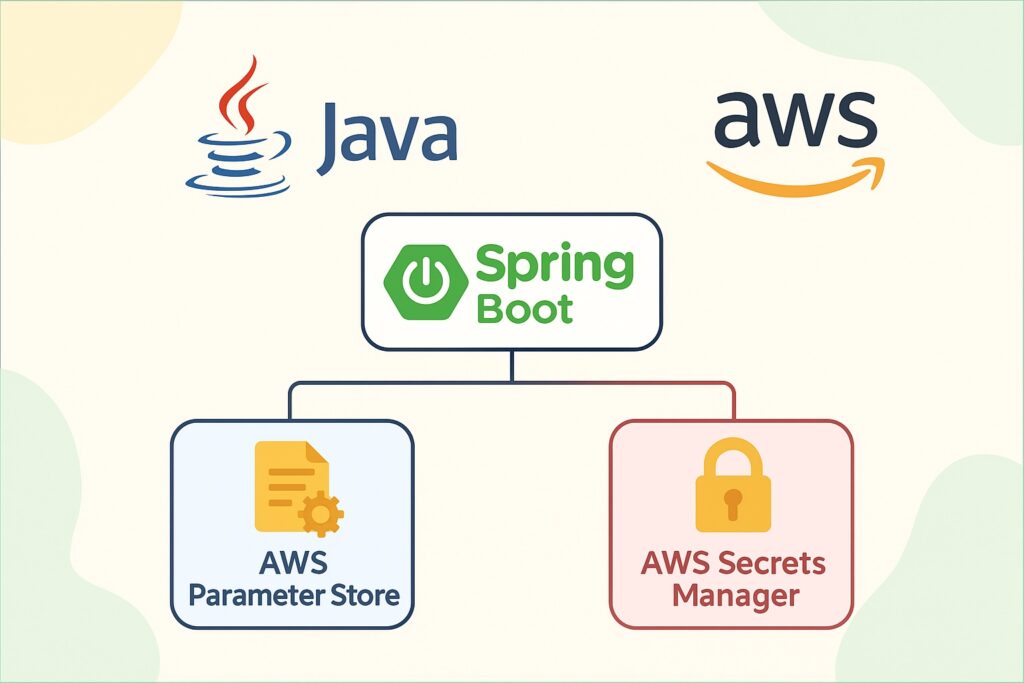
A practical, hands-by-step article showing how to fetch configuration stored in AWS Systems Manager Parameter Store (SSM) and AWS Secrets Manager from a Spring Boot application. Includes working code for a controller and service layers, IAM notes, caching, and production cautions.
Goal: show how to securely read parameters & secrets at runtime from AWS using the AWS SDK (v2) from a Spring Boot app and expose a simple REST controller for demonstration.
Overview
- SSM Parameter Store — useful for configuration values (plain text and SecureString). Good for non-rotating secrets, feature flags, and config keys.
- Secrets Manager — purpose-built for secrets that rotate, can store JSON or plaintext, and integrates with rotation.
- When to use which: Secrets Manager for DB credentials and rotating secrets; Parameter Store for feature toggles, non-rotating config, or simple encryption needs (SecureString).
- Security: grant minimal IAM permissions (
ssm:GetParameter,secretsmanager:GetSecretValue) to your app role. Never commit credentials to code or repo.
What you will get in this tutorial
- Maven dependencies.
- IAM policy JSON for minimal permissions.
- Spring Boot configuration and credential guidance.
- Java services:
AwsSsmService— reads SSM parameters (with optional caching).AwsSecretsManagerService— reads secrets (returns raw or parsed JSON).
- A controller
ConfigControllerexposing example endpoints. - Notes on caching, error handling, and production best practices.
1) Maven dependencies
Add to pom.xml:
<dependencies>
  <!-- Spring Boot Web -->
  <dependency>
    <groupId>org.springframework.boot</groupId>
    <artifactId>spring-boot-starter-web</artifactId>
  </dependency>

  <!-- AWS SDK v2: SSM -->
  <dependency>
    <groupId>software.amazon.awssdk</groupId>
    <artifactId>ssm</artifactId>
    <version>2.20.0</version> <!-- use latest stable version -->
  </dependency>

  <!-- AWS SDK v2: Secrets Manager -->
  <dependency>
    <groupId>software.amazon.awssdk</groupId>
    <artifactId>secretsmanager</artifactId>
    <version>2.20.0</version>
  </dependency>

  <!-- Jackson for JSON parsing -->
  <dependency>
    <groupId>com.fasterxml.jackson.core</groupId>
    <artifactId>jackson-databind</artifactId>
  </dependency>

  <!-- Optional: If you want to use Lombok -->
  <dependency>
    <groupId>org.projectlombok</groupId>
    <artifactId>lombok</artifactId>
    <optional>true</optional>
  </dependency>
</dependencies>Replace SDK versions with the most recent v2 release in your project.
2) IAM permissions
Create a minimal policy and attach it to the EC2 instance role, EKS service account, or IAM role assigned to your ECS task / Lambda:
{
  "Version": "2012-10-17",
  "Statement": [
    {
      "Sid": "AllowReadSSMParameters",
      "Effect": "Allow",
      "Action": [
        "ssm:GetParameter",
        "ssm:GetParameters",
        "ssm:GetParameterHistory",
        "ssm:GetParametersByPath"
      ],
      "Resource": "arn:aws:ssm:us-east-1:123456789012:parameter/myapp/*"
    },
    {
      "Sid": "AllowReadSecrets",
      "Effect": "Allow",
      "Action": [
        "secretsmanager:GetSecretValue",
        "secretsmanager:DescribeSecret"
      ],
      "Resource": [
        "arn:aws:secretsmanager:us-east-1:123456789012:secret:myapp/*"
      ]
    }
  ]
}Adjust regions, account ID, and resource ARNs for your environment.
3) Spring Boot configuration & credential location
The AWS Java SDK v2 looks for credentials/environment information using the default provider chain (environment variables, system properties, ~/.aws/credentials via profiles, EC2/ECS/EKS metadata). Common options:
- Local dev: set
AWS_PROFILE, orAWS_ACCESS_KEY_ID/AWS_SECRET_ACCESS_KEY, or use~/.aws/credentials. - Production: attach an IAM Role to EC2/ECS/EKS with the above policy.
No credentials in application.properties!
4) Create AWS SDK clients in Spring Boot
Create a config class to provide SsmClient and SecretsManagerClient beans.
package com.example.awsconfig.config;

import org.springframework.context.annotation.Bean;
import org.springframework.context.annotation.Configuration;
import software.amazon.awssdk.regions.Region;
import software.amazon.awssdk.services.secretsmanager.SecretsManagerClient;
import software.amazon.awssdk.services.ssm.SsmClient;

@Configuration
public class AwsClientConfig {

    @Bean
    public SsmClient ssmClient() {
        // Region can be made configurable via application.properties
        return SsmClient.builder()
                        .region(Region.US_EAST_1)
                        .build();
    }

    @Bean
    public SecretsManagerClient secretsManagerClient() {
        return SecretsManagerClient.builder()
                                   .region(Region.US_EAST_1)
                                   .build();
    }
}Tip: use
@Value("${aws.region:us-east-1}")to inject region from config if you prefer.
5) SSM Parameter Store service
This service reads parameters by name. It includes simple caching (TTL) so you don’t call AWS on every request.
package com.example.awsconfig.service;

import org.springframework.stereotype.Service;
import software.amazon.awssdk.services.ssm.SsmClient;
import software.amazon.awssdk.services.ssm.model.GetParameterRequest;
import software.amazon.awssdk.services.ssm.model.GetParameterResponse;
import software.amazon.awssdk.services.ssm.model.SsmException;

import java.time.Instant;
import java.util.Map;
import java.util.concurrent.ConcurrentHashMap;

@Service
public class AwsSsmService {

    private final SsmClient ssmClient;

    // Simple cache entry
    static class CacheEntry {
        final String value;
        final Instant expiresAt;

        CacheEntry(String value, Instant expiresAt) {
            this.value = value;
            this.expiresAt = expiresAt;
        }
    }

    // cache map: parameterName -> CacheEntry
    private final Map<String, CacheEntry> cache = new ConcurrentHashMap<>();

    // TTL for cached items (milliseconds) - e.g., 1 minute
    private final long ttlMillis = 60 * 1000L;

    public AwsSsmService(SsmClient ssmClient) {
        this.ssmClient = ssmClient;
    }

    public String getParameter(String name, boolean withDecryption) {
        // Check cache
        CacheEntry cached = cache.get(name);
        if (cached != null && Instant.now().isBefore(cached.expiresAt)) {
            return cached.value;
        }

        try {
            GetParameterRequest req = GetParameterRequest.builder()
                    .name(name)
                    .withDecryption(withDecryption)
                    .build();

            GetParameterResponse resp = ssmClient.getParameter(req);
            String value = resp.parameter().value();

            // Put into cache
            cache.put(name, new CacheEntry(value, Instant.now().plusMillis(ttlMillis)));

            return value;
        } catch (SsmException e) {
            // handle not found, permission issues, etc.
            throw new RuntimeException("Failed to read SSM parameter: " + name, e);
        }
    }

    // Optional: clear cache for a specific param (if you have a manual refresh trigger)
    public void evictCache(String name) {
        cache.remove(name);
    }
}Notes:
withDecryption=trueforSecureString.- Consider using a more robust cache (Caffeine, Redis) for production.
6) Secrets Manager service
Read a secret value (plaintext or JSON). We’ll return the string value. If the secret is a JSON blob, the caller can parse it.
package com.example.awsconfig.service;

import com.fasterxml.jackson.databind.JsonNode;
import com.fasterxml.jackson.databind.ObjectMapper;
import org.springframework.stereotype.Service;
import software.amazon.awssdk.core.exception.SdkClientException;
import software.amazon.awssdk.services.secretsmanager.SecretsManagerClient;
import software.amazon.awssdk.services.secretsmanager.model.GetSecretValueRequest;
import software.amazon.awssdk.services.secretsmanager.model.GetSecretValueResponse;
import software.amazon.awssdk.services.secretsmanager.model.SecretsManagerException;

import java.util.Map;
import java.util.concurrent.ConcurrentHashMap;

@Service
public class AwsSecretsManagerService {

    private final SecretsManagerClient secretsClient;
    private final ObjectMapper objectMapper = new ObjectMapper();

    // Simple cache (secretId -> secretString)
    private final Map<String, String> cache = new ConcurrentHashMap<>();

    // TTL could be added similar to SSM service; omitted for brevity

    public AwsSecretsManagerService(SecretsManagerClient secretsClient) {
        this.secretsClient = secretsClient;
    }

    public String getSecret(String secretId) {
        // Check cache first
        if (cache.containsKey(secretId)) {
            return cache.get(secretId);
        }

        try {
            GetSecretValueRequest getSecretValueRequest = GetSecretValueRequest.builder()
                    .secretId(secretId)
                    .build();

            GetSecretValueResponse getSecretValueResponse = secretsClient.getSecretValue(getSecretValueRequest);
            String secretString = getSecretValueResponse.secretString();

            if (secretString == null) {
                // secretBinary handling could be added
                throw new RuntimeException("Secret returned no string content for: " + secretId);
            }

            // cache
            cache.put(secretId, secretString);

            return secretString;
        } catch (SecretsManagerException | SdkClientException e) {
            throw new RuntimeException("Failed to read secret: " + secretId, e);
        }
    }

    /**
     * Helper to parse a JSON secret into JsonNode
     */
    public JsonNode getSecretAsJson(String secretId) {
        String secret = getSecret(secretId);
        try {
            return objectMapper.readTree(secret);
        } catch (Exception e) {
            throw new RuntimeException("Failed to parse secret as JSON: " + secretId, e);
        }
    }
}Notes:
- Secrets Manager returns
secretStringorsecretBinary. This example assumessecretString. - Consider improved caching with TTL and rotation awareness.
7) Example service that uses both
A business ConfigService that reads a DB config from Secrets Manager (JSON) and a non-sensitive feature flag from SSM:
package com.example.awsconfig.service;

import com.fasterxml.jackson.databind.JsonNode;
import org.springframework.stereotype.Service;

@Service
public class ConfigService {

    private final AwsSsmService ssmService;
    private final AwsSecretsManagerService secretsService;

    public ConfigService(AwsSsmService ssmService, AwsSecretsManagerService secretsService) {
        this.ssmService = ssmService;
        this.secretsService = secretsService;
    }

    /**
     * Example: get a feature flag stored in SSM Parameter Store
     */
    public boolean isNewCheckoutEnabled() {
        String paramName = "/myapp/feature/newCheckout"; // SSM parameter name
        String val = ssmService.getParameter(paramName, false);
        return Boolean.parseBoolean(val);
    }

    /**
     * Example: get DB credentials from Secrets Manager (JSON format)
     * secret value example:
     * {
     *   "username": "dbuser",
     *   "password": "secretpwd",
     *   "host": "db.example.com",
     *   "port": 5432
     * }
     */
    public DbCredentials getDbCredentials() {
        String secretId = "myapp/database/credentials";
        JsonNode json = secretsService.getSecretAsJson(secretId);

        DbCredentials creds = new DbCredentials();
        creds.setUsername(json.path("username").asText());
        creds.setPassword(json.path("password").asText());
        creds.setHost(json.path("host").asText());
        creds.setPort(json.path("port").asInt());
        return creds;
    }

    public static class DbCredentials {
        private String username;
        private String password;
        private String host;
        private int port;

        // getters/setters
        public String getUsername() { return username; }
        public void setUsername(String username) { this.username = username; }
        public String getPassword() { return password; }
        public void setPassword(String password) { this.password = password; }
        public String getHost() { return host; }
        public void setHost(String host) { this.host = host; }
        public int getPort() { return port; }
        public void setPort(int port) { this.port = port; }
    }
}8) Controller example
A simple REST controller showing endpoints that return the parameter and (CAUTION) the secret. Important: do not expose secrets in real production; this endpoint is for demo only.
package com.example.awsconfig.controller;

import com.example.awsconfig.service.ConfigService;
import com.example.awsconfig.service.ConfigService.DbCredentials;
import org.springframework.http.ResponseEntity;
import org.springframework.web.bind.annotation.*;

@RestController
@RequestMapping("/api/config")
public class ConfigController {

    private final ConfigService configService;

    public ConfigController(ConfigService configService) {
        this.configService = configService;
    }

    /**
     * Return feature flag from SSM
     */
    @GetMapping("/feature/new-checkout")
    public ResponseEntity<?> newCheckoutEnabled() {
        boolean enabled = configService.isNewCheckoutEnabled();
        return ResponseEntity.ok().body(Map.of("newCheckoutEnabled", enabled));
    }

    /**
     * Return DB credentials from Secrets Manager (demo only).
     * WARNING: DO NOT expose secrets in production.
     */
    @GetMapping("/secret/db")
    public ResponseEntity<?> getDbSecret() {
        DbCredentials creds = configService.getDbCredentials();
        // for demo only — sensitive info returned
        return ResponseEntity.ok().body(creds);
    }
}9) Example SSM / Secret values to create in AWS Console
SSM Parameter
- Name:
/myapp/feature/newCheckout - Type:
String - Value:
true
Secrets Manager secret
- Name (SecretId):
myapp/database/credentials - Value (SecretString):
{
  "username": "dbuser",
  "password": "SupaS3cret!",
  "host": "db.example.com",
  "port": 5432
}10) Local testing tips
- Use
AWS_PROFILEpointing to a profile in~/.aws/credentials. - Or set environment variables:
export AWS_ACCESS_KEY_ID=... export AWS_SECRET_ACCESS_KEY=... export AWS_REGION=us-east-1 - If running locally without network, you can mock the services in unit tests using Mockito or a localstack container for integration testing.
11) Production considerations & best practices
- Least privilege: scope IAM policy to parameter and secret ARNs your app actually needs.
- Do not return secrets via REST in production.
- Rotation: if secrets rotate (Secrets Manager), consider a short TTL and refresh mechanism.
- Caching: avoid calling AWS on every request. Use a TTL cache (Caffeine) or refresh-on-change strategy.
- Monitoring & metrics: instrument success/failure rates, latencies, and API error codes (throttling).
- Retries & backoff: AWS SDK retries by default, but add exponential backoff for transient failures.
- Encryption: SSM
SecureStringis encrypted with KMS; Secrets Manager encrypts secrets with KMS automatically. - Parameter naming: adopt a clear hierarchical naming convention (e.g.,
/app/env/service/key). - Secret storage format: store secrets as JSON for structured credentials — easier to parse.
12) Error handling patterns
- Wrap AWS SDK exceptions and return friendly errors to callers.
- For sensitive operations, do not leak stack traces or exception messages containing ARNs or partial secret data.
13) Optional: Using Spring Cloud AWS (alternative approach)
There is also Spring Cloud AWS that can map parameters to @ConfigurationProperties directly or inject SSM properties into the Spring Environment. That’s useful for simpler cases but can tie you to that library’s lifecycle and behavior. The SDK approach shown above gives explicit control.
14) Full folder structure suggestion
src/main/java
  └─ com.example.awsconfig
     ├─ config
     │   └─ AwsClientConfig.java
     ├─ controller
     │   └─ ConfigController.java
     └─ service
         ├─ AwsSsmService.java
         ├─ AwsSecretsManagerService.java
└─ ConfigService.java15) Final security reminder (very important)
- Never log secrets or include them in exceptions.
- Rotate credentials where possible.
- Make sure your log configuration redacts sensitive fields.
- Limit network exposure of admin endpoints that can dump config.


One Reply to “How to use AWS SSM Parameter Store and AWS…”